
Smart security integration is all about bringing together various devices to create a seamless home security system. Imagine being able to control your cameras, alarms, and lights all from one app. That’s the beauty of integrated smart security! Understanding the basics can help you make the most of your smart devices.
First off, think about what you want to achieve. Do you need cameras to monitor your home? Consider options like the Blink Mini Smart Security Camera with Night Vision. It works with Alexa, so you can ask your voice assistant to pull up footage on your smart display. This adds an extra layer of convenience as you manage your home security without leaving the couch.
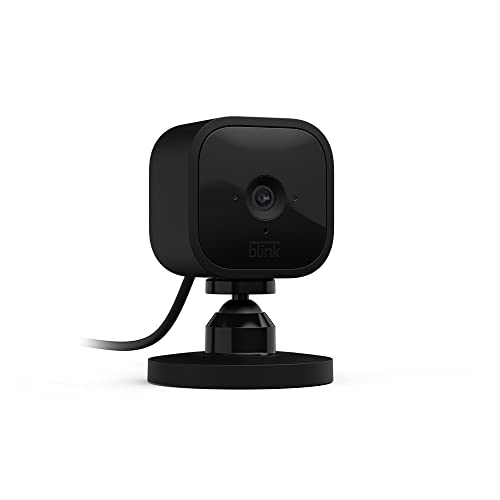
Blink Mini Smart Security Camera with Night Vision, Alexa Integration
Enhance Your Home Security with the Blink Mini Smart Security Camera, Featuring Night Vision and Alexa Integration
Product information
Product Review Score
4.85 out of 5 stars
(125 reviews)Product links
Also, don’t overlook how your devices communicate. Many smart security products use Wi-Fi, making them easy to set up. For instance, wireless door and window alarms can alert you whenever there’s a breach, and you can monitor everything from your smartphone. Just remember to ensure your Wi-Fi is strong enough to support these devices, especially if you have multiple connected at the same time.
Finally, consider how your devices work together. Smart switches, like the White Smart Switch with Neutral Wire, can control your lights and work with Alexa, making them a smart addition to your setup. This way, you can set lights to turn on when your cameras detect motion. By following these smart security integration tips, you can keep your home safe and sound without any hassle.
Choosing the Right Devices for Your Home
Next, think about the best way to protect your entry points. A smart doorbell camera, like the Reolink 2K Video Doorbell with Two-Way Talk, can let you see who's at the door and communicate without opening it. This adds an extra layer of security and convenience. For windows and doors, consider getting a pack of wireless door window alarms. They're easy to install and give you alerts if they detect any movement, helping keep your property safe.

Reolink 2K Video Doorbell with Two-Way Talk
See who’s at your door in stunning clarity while chatting with them right from your phone
Product information
Product Review Score
4.55 out of 5 stars
(175 reviews)Product links
In addition to cameras and alarms, don't overlook smart switches. They not only let you control your lights remotely but can also be set to mimic your presence at different times. A White Smart Switch with Neutral Wire for Alexa Integration can connect to your other devices, making it part of your smart ecosystem.
Lastly, think about integrating climate control. A Sensi Smart Thermostat with Wi-Fi and Alexa Integration can help you maintain a comfortable environment. While it's not a direct security product, it supports your overall smart system, making it easier to manage everything from your phone. By following these smart security integration tips and choosing the right devices, you'll create a home environment that's both secure and convenient.
How to Connect Everything Seamlessly
Connecting your smart security devices should be a breeze, and with the right approach, it can be. Start with a central hub if you have multiple devices from different brands. This can simplify everything and help you control various devices from one app. Hubs from big names usually support a range of devices and can streamline communication between them.
For seamless integration, focus on products that support popular voice assistants like Alexa or Google Assistant. For example, the Blink Mini Smart Security Camera works perfectly with Alexa. You can easily check the camera feed just by asking. It’s as simple as saying, “Alexa, show me the front door.” Look for devices compatible with your chosen hub or assistant to make life easier.
Also, remember to check for features like geographical location control. For instance, a smart switch can turn lights on or off as you come and go. The White Smart Switch with Neutral Wire works with Alexa, allowing you to schedule when to turn on your lights or appliances. This small addition can ramp up your security by making it look like someone is home, even when you’re not.
Don’t forget about keeping everything updated. Regularly check for firmware updates for your devices. This ensures they have the latest features and security patches. Pairing and maintaining your smart devices properly can prevent connectivity issues down the line. With these smart security integration tips, your home can achieve the comfort and safety you want.
Tips for Maintaining Your Smart Security System
Maintaining your smart security system is crucial for keeping your home safe and ensuring everything runs smoothly. Here are some easy tips to help you stay on top of things.
Start by regularly checking the batteries in your devices. Many smart security products, like indoor and outdoor cameras, rely on battery power. Set reminders to replace the batteries or recharge the units as needed. For example, if you have a Blink Mini Smart Security Camera with Night Vision, keep an eye on its battery and change it when you notice a dip in performance.

Blink Mini Indoor Smart Security Camera with Alexa
Monitor your home with ease using the Blink Mini Indoor Smart Security Camera with Alexa integration
Product information
Product Review Score
4.51 out of 5 stars
(63 reviews)Product links
Next, ensure your software and firmware are up to date. Many devices, like smart switches or security cameras, get updates that improve functionality and security. Check the app for your devices and install any available updates. A good rule of thumb is to do this at least once a month or whenever you notice something isn’t working as it should.
Cable management is another key factor. If you have devices that need to be plugged in, organize the cords to prevent them from becoming tangled or damaged. Use cable ties or clips to keep everything neat. This simple step can make a big difference in keeping your space looking tidy and your devices functioning properly.
Finally, regularly test your alarm systems and cameras. Take the time to ensure everything is working as it should. If you have wireless door window alarms, test their sensors and make sure they respond when triggered. Routine testing guarantees that your security system is reliable when you need it. Following these smart security integration tips helps keep your home safe and your devices in top shape!


